Manual›Jobs
How do I write a market research report with AI?
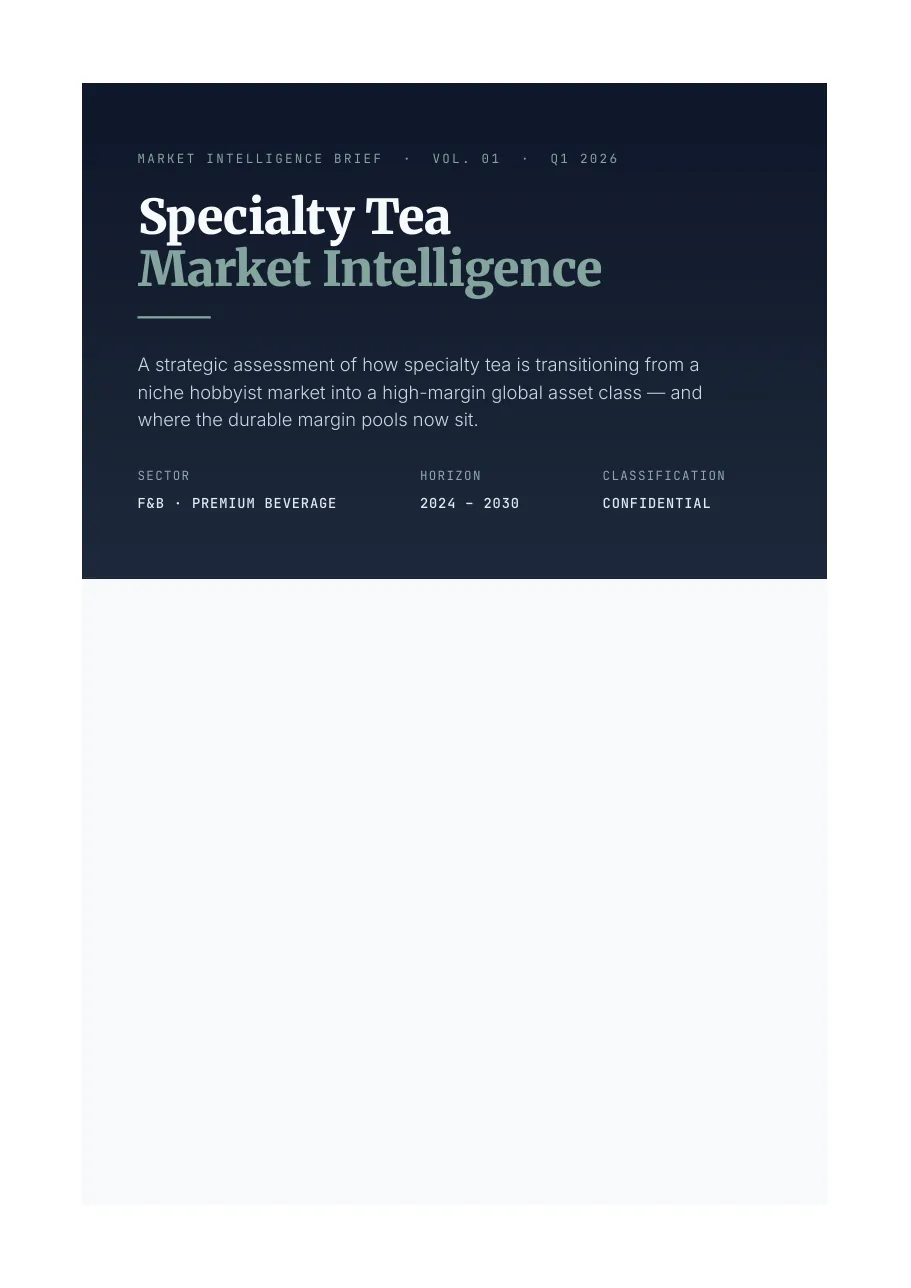
Ask the Documents agent for the report and say who it is for and how it should read. It researches the topic, plans the argument and the look, writes the sections, and gives you a print-ready PDF and an editable Word file. The specialty tea report below ran to 14 A4 pages with five sections and five tables, in 11.7 minutes.
A real run: a specialty tea market report
A run on our machine, 9 August 2026, on Kimi K2.6.
This was the request:
A market report on specialty tea: where the margin actually sits, who is positioned to take it, and what the risks are. About 10 sheets, business register.
What the Documents agent did
- Researched first. It searched for specialty tea margins, the competitive landscape and the risks, then read the pages in full: market reports, an industry survey, a trade report and margin analyses.
- Checked the style you like. It searched memory for a document style for a business register, then planned the report in that register.
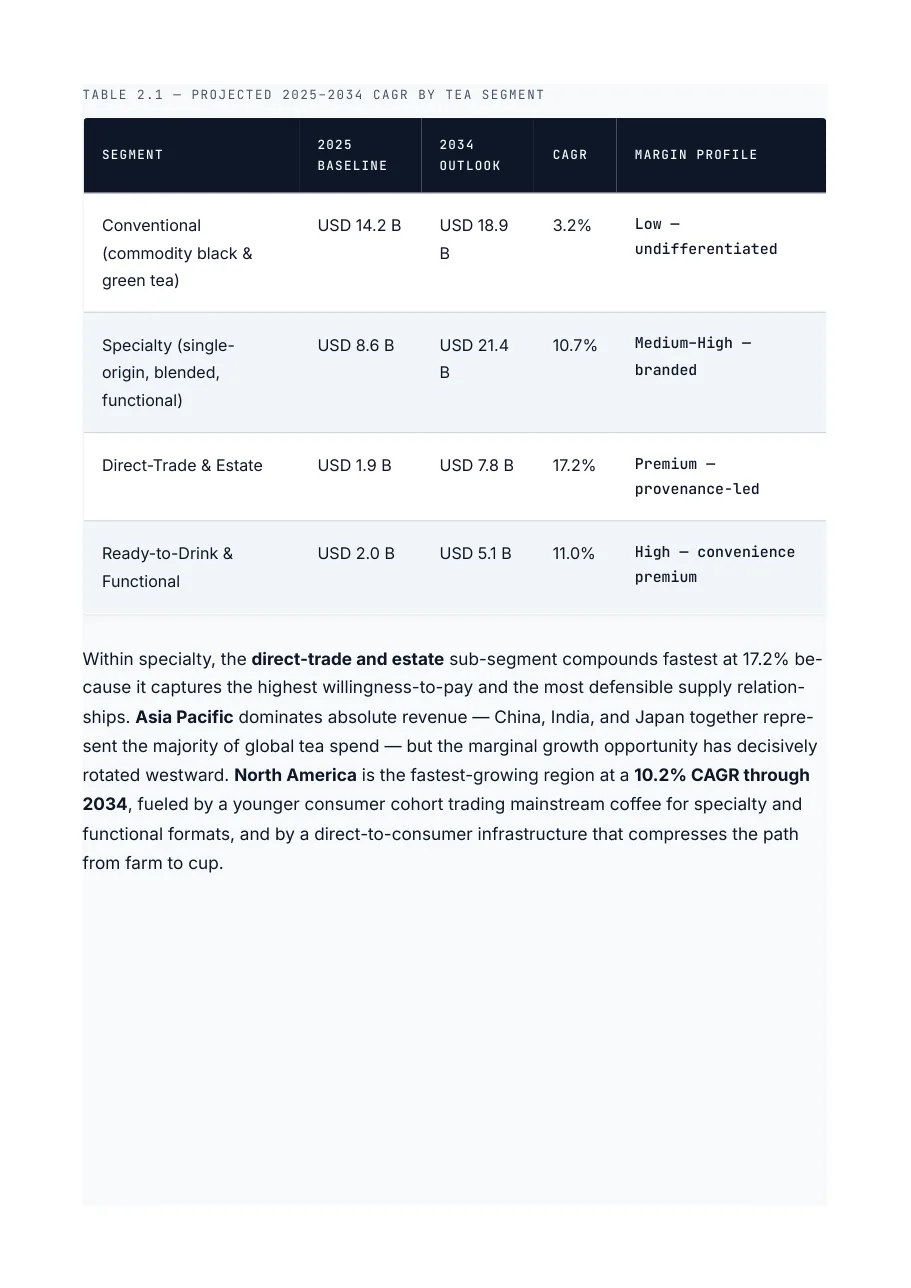
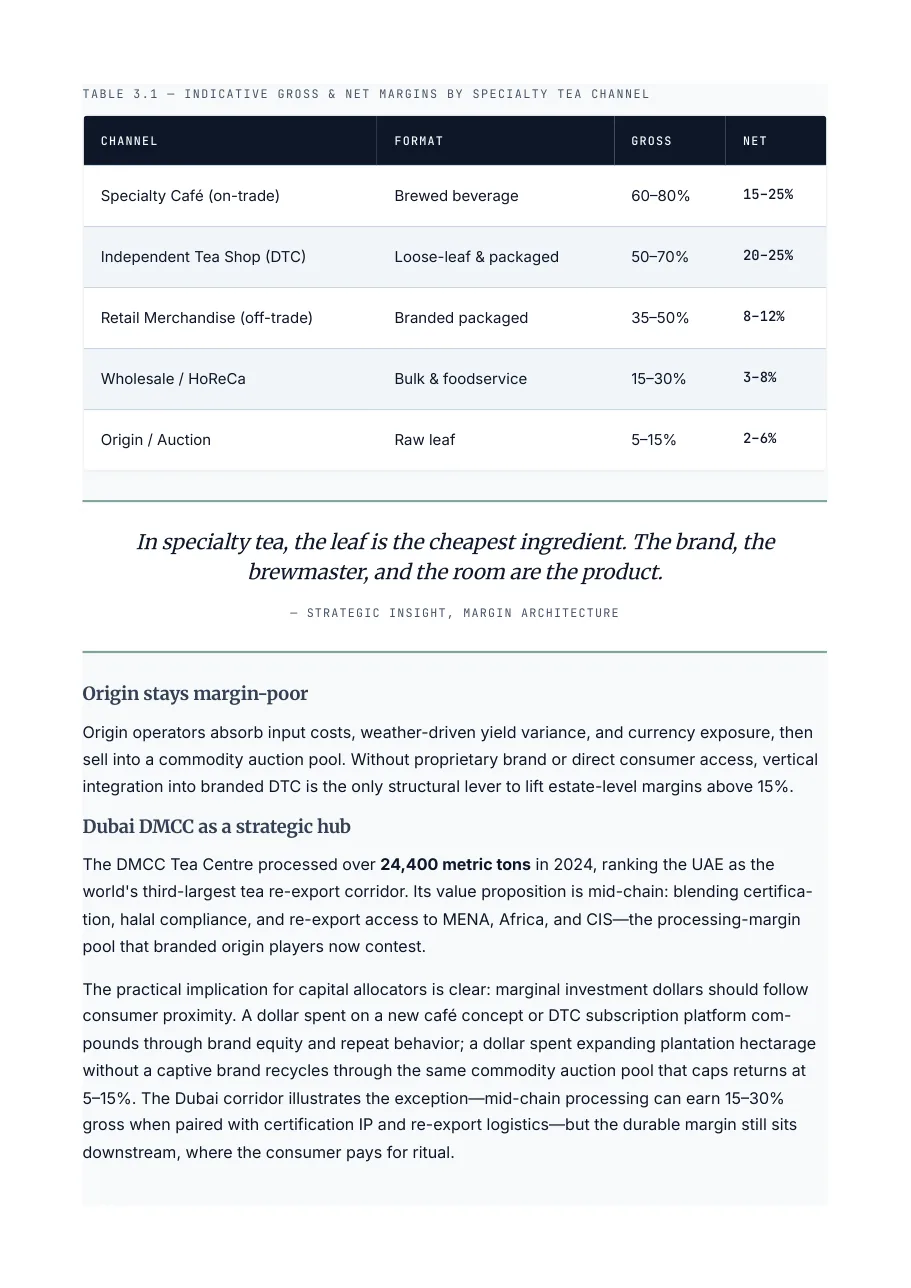
- Planned five sections and their exhibits. Executive summary, market trajectory, margin architecture, competitive landscape, and risks and outlook, with tables for the vital signs, segment growth, margin benchmarks, the competitive matrix and risk severity.
- Wrote the sections with claim headings and numbered exhibits. Each section carries a heading that states its point, a standfirst, and exhibits with a "so what" and a source line.
- Built the pages. The request said about 10 sheets; the five sections ran to 14 A4 pages, because a section flows to the length its content needs rather than being squeezed into a fixed page.
- Exported both files. A print-ready PDF of 14 pages (4.55 MB) and a Word file whose headings, text and tables are native and editable.
- Offered the next pass. Tighten or expand a section, or take a different angle on the competitive set.
What you get
Five sections, each arguing a point:
| section | the claim it makes |
|---|---|
| Executive Summary | specialty tea is a ~40B asset class; direct-trade is compounding at 8.7% |
| Market Trajectory | forecasts of 52–76B by 2031–34; North America fastest at 10.2% CAGR |
| Margin Architecture | 60–80% gross in specialty cafés, 45–60% in DTC retail, 5–15% at origin |
| Competitive Landscape | incumbents at 12–18% gross against disruptors at 40–55% |
| Risks & Outlook | climate critical, RTD competition high, regulatory risk medium, with a due-diligence checklist |
- A print-ready PDF with the exact design.
- An editable Word file: headings, paragraphs and tables are native Word elements; covers, KPI cards and charts arrive as images.
- Numbered exhibits with source lines, so a figure can be traced.
- One style across every page, from the cover to the last table.
What it took
| time | steps | tokens | images | |
|---|---|---|---|---|
| the document | 11.7 minutes | — | 458,239 read, 3,449 written | none |
It ran on your plan's usage, like any job; Plans, usage & shared usage has what each plan includes.
Why the build is mostly reading and writing: the planner and the section writers are the model work; the layout checks and the exports are code.
How it's different
- It is designed like a consulting report. Claim headings, a standfirst under each, numbered exhibits with a "so what" and a source line, a narrow reading measure with full-width exhibits. It reads like a finished report, not a chat answer on a page.
- One document, one style. One of 16 styles drives the planner and every writer; if none fits, it writes a new style from your colours and fonts and saves it.
- The layout is checked by numbers. Every page is measured for how full it is, and the stylesheet is checked for gradients, shadows, emoji and too many fonts. No half-empty sheets, no generic "AI document" look.
- The Word file is real. Headings, text, lists, tables and quotes are native and editable; only covers, KPI cards and charts become images.
- You can point at what to change. Click a block, select text or tag a page, and the agent edits exactly that element; a style change restyles every page.
How the planner, the 24 page patterns and the two exports work: What can the Documents agent do, and how does it work?
Doing it yourself
- Open the agent switcher at the top of the sidebar and pick Specialists → Documents.
- Give the topic, the audience, the length and the register (business or editorial), and attach any files you already have.
- It researches the topic, asks one question if something is unclear, and picks or writes a style.
- Watch the sections build. To change one, click a block or tag a page and say what to change.
- Download the PDF (print-ready) or the Word file (editable text and tables).
Limits
- It edits your own Word file on a copy. Open a
.docxand ask for a change: it changes only what you asked, keeps the file's own styles, and renders the changed pages to check them. The copy is in the chat's folder; your original is never touched. A.dotxtemplate is saved as a new.docxfirst. - Tracked changes on request, but no Word comments. Ask for tracked changes and each edit is marked as an insertion or deletion by "Irene". It doesn't add or answer comments.
- New documents use Irene's styles, not your template. Bring your brand as colours and fonts, and it writes a style.
- No Google Docs or Markdown export. Use the PDF or Word file, or publish from the vault.
- Notes, not footnotes. Citations go in end-of-section notes; true page-bottom footnotes are not possible in this print layout.
- No video or audio in documents.
- A section flows. "About 10 sheets" can become 14 pages when the content needs it; the agent does not squash it into fixed pages.
- Included documents are limited per month; Plans, usage & shared usage has the counts. Past them, the build uses plan usage.
- The Word file is native text over the design. Covers, KPI cards and charts arrive as images.
Questions
How do I write a market research report with AI? Ask the Documents agent for the topic, audience and register. It researches the subject, plans the sections and exhibits, writes them, and exports a PDF and an editable Word file.
Does it make up facts or sources? It researches first, and its instructions forbid inventing facts, figures or sources; exhibits carry source lines so a figure can be traced. Check the figures before you send it out.
Can I edit the report afterwards? Yes. The Word file has native headings, text, lists and tables; covers, KPI cards and charts are images. In Irene, click a block or tag a page to change exactly that part.
What do I get, exactly? A print-ready PDF and a Word file, one style across every page, with numbered exhibits and source lines. This one was 14 A4 pages, five sections and five tables.
How does it use my plan? The build runs on plan usage; each plan includes a number of documents, and Plans, usage & shared usage has the counts. An included document does not touch plan usage.
Related
Updated