Manual›Jobs
How do I make a presentation from a prompt with AI?
Tell the Slides agent what the deck is about and how it should look. It looks the topic up, writes a new style if none fits, generates the images you ask for, builds every slide, checks the slides against its sources, and gives you a PDF and an editable PowerPoint. The jellyfish deck below took one sentence and 17 minutes.
A real run: "Jellyfish: A Field Note on Cnidaria"
A run on our machine, 31 October 2026, on DeepSeek V4.1 Flash.
This was the whole request:
make me a 4 page slideshow on jellyfish, generate a few images, make a new underwater style and we will use that, go
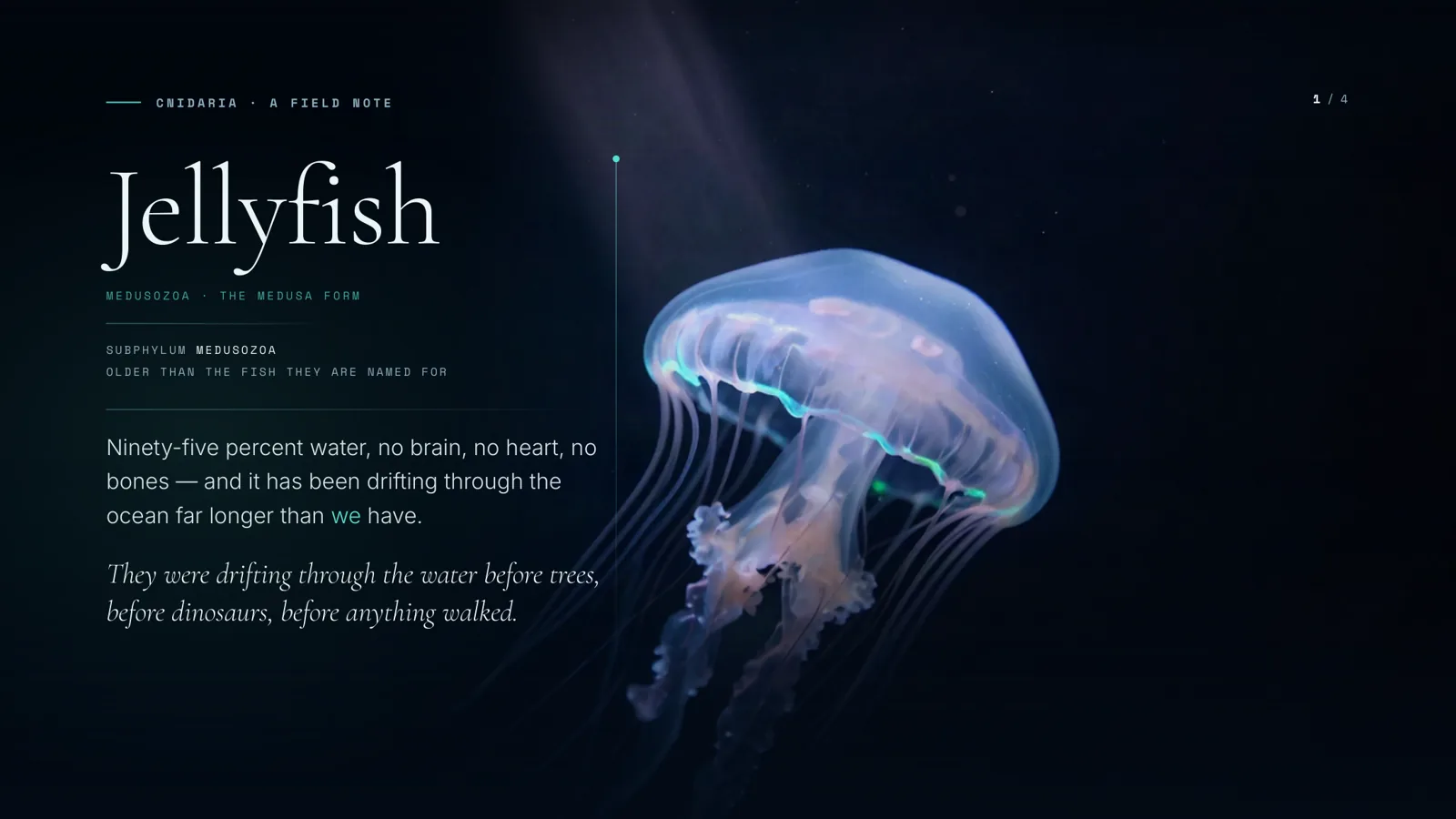
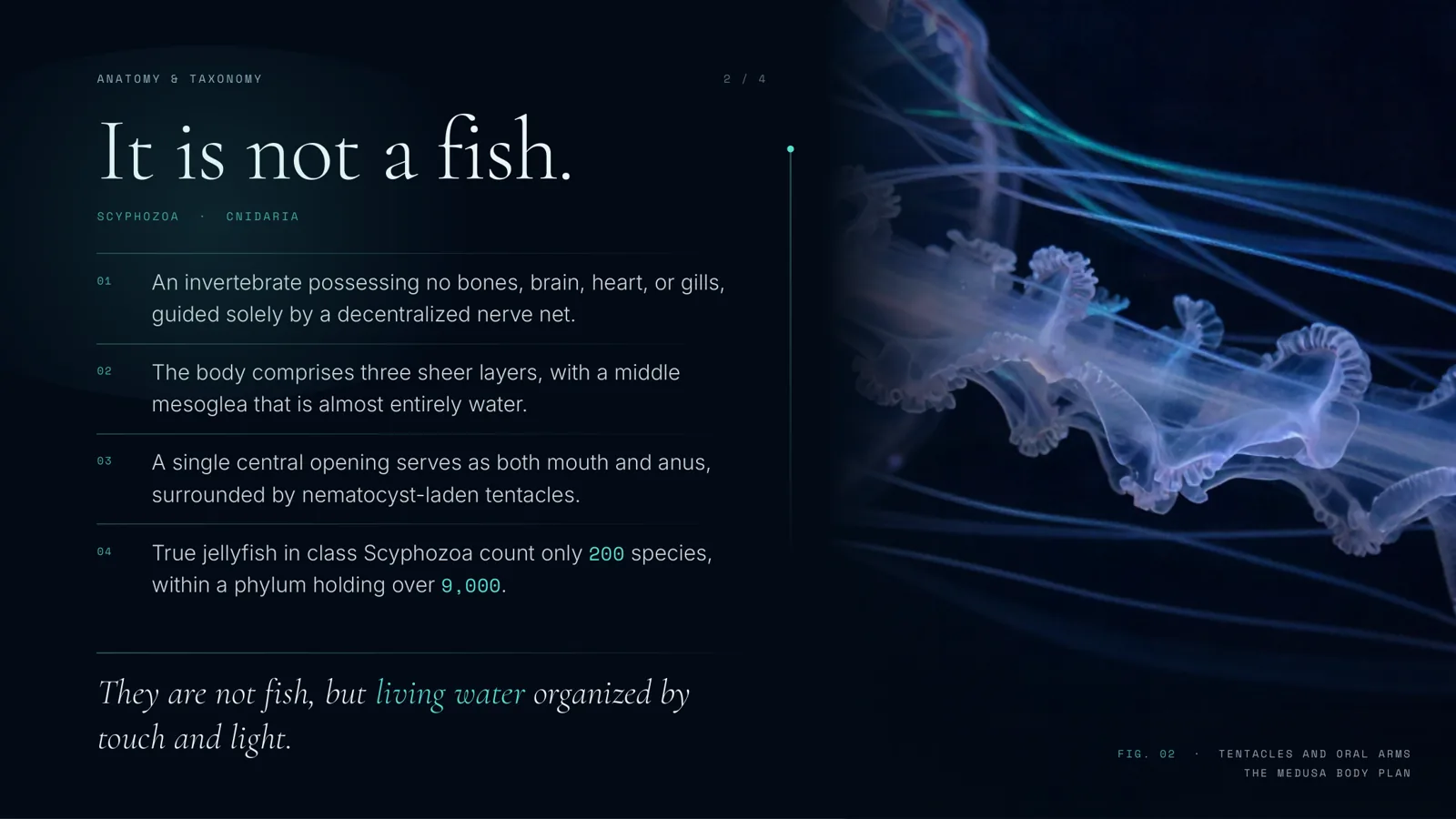
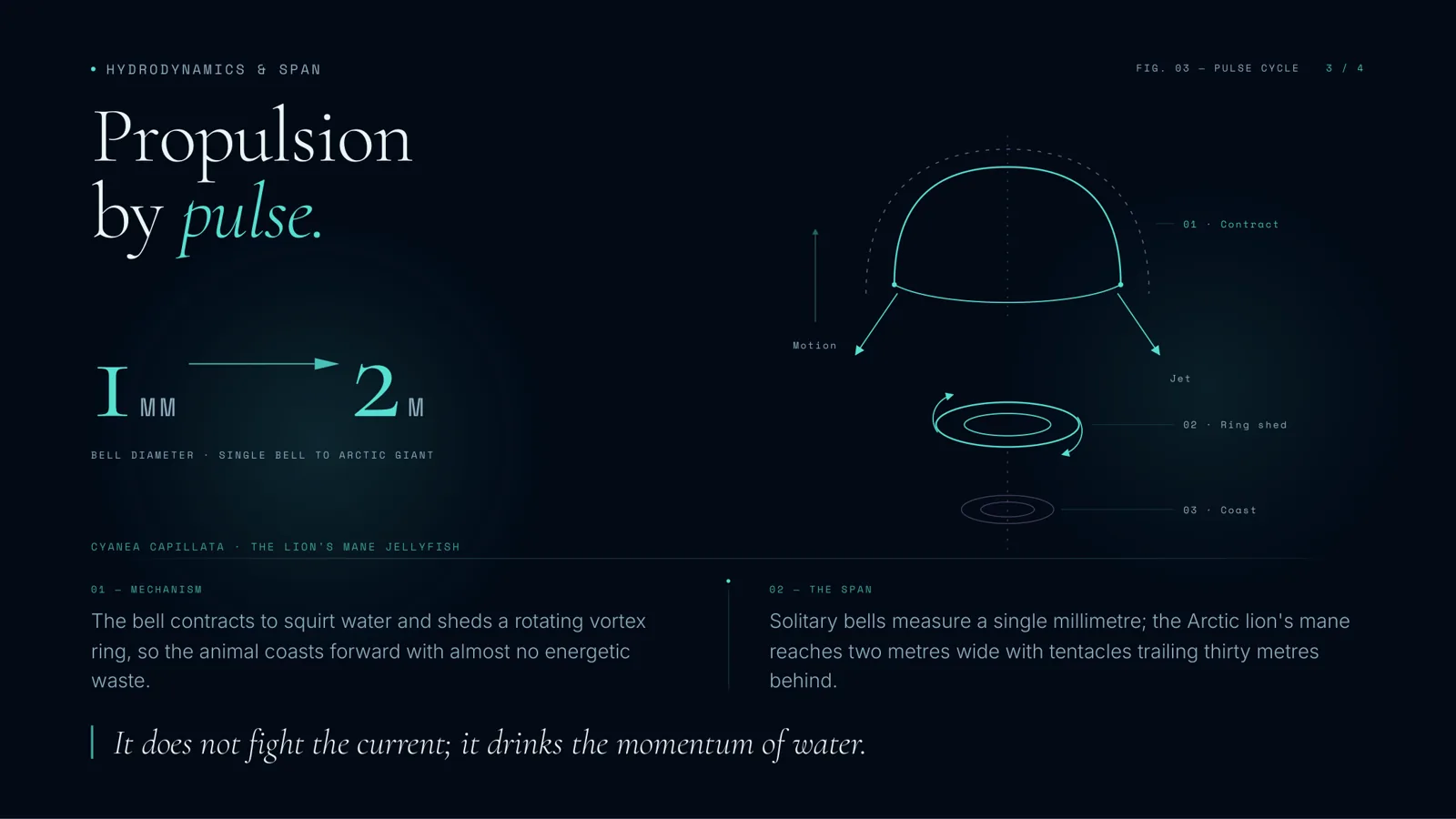
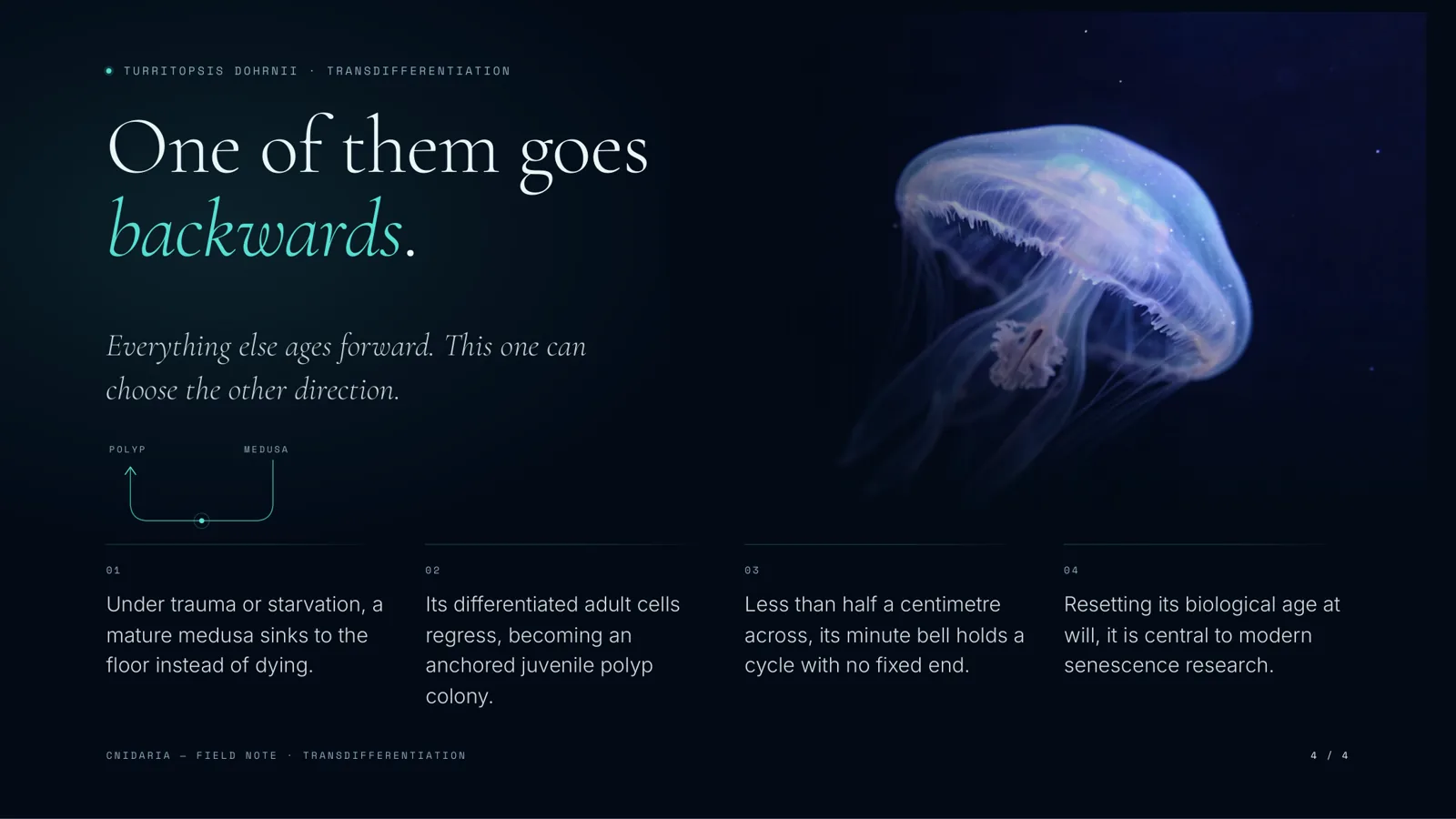
What the Slides agent did
- Looked the facts up first. Three web searches: species count and anatomy, the "immortal" jellyfish Turritopsis dohrnii, and the size range up to the lion's mane.
- Wrote a new style and saved it. It named it abyssal-drift: a near-black navy background, bioluminescent teal hairlines, a light serif (Cormorant Garamond) against small mono labels. It's saved with your skills, so any later deck can use it.
- Generated three images at once: a cover jellyfish, a translucent bell, a curtain of tentacles.
- Wrote the brief for each slide: one idea per slide, the facts from its searches, and "do not invent numbers".
- Built the four slides and exported them.
- Looked at its own renders and fixed two of its own faults. The build had dropped the three generated images and used web photos instead, so it put its own images back in the same slots. And slide 1's photo was drawn at its native size, with the dark gradient for the text sitting on the jellyfish's bell, so it rebuilt the slide so the photo fills the frame and the whole animal shows.
- Took one note mid-run. We typed "the image placement is not good here, I can't see the jellyfish properly". The fix landed in the same run.
- Checked the words against its sources. It caught three lines the slide writer had invented and corrected each with a one-line edit:
| the writer had put | corrected to |
|---|---|
| "Aurelia aurita · Moon Jelly" | "Medusozoa · The Medusa Form" |
| "Five hundred million years of drift" | "Older than the fish they are named for" |
| "preceded trees, dinosaurs… by hundreds of millions of years" | "before trees, before dinosaurs, before anything walked" |
What you get
- Four 16:9 slides: Jellyfish (cover) · It is not a fish. · Propulsion by pulse. · One of them goes backwards.
- A PDF with the exact look, and a PowerPoint file where every text block is a real text box you can edit.
- Three generated images, all used, and named as generated.
- A new style, abyssal-drift, kept for next time.
What it took
| time | steps | tokens | images | |
|---|---|---|---|---|
| the deck | 17 minutes | 33 | 5,691,659 read, 21,938 written | 3 generated |
It ran on your plan's usage, like any job; Plans, usage & shared usage has what each plan includes.
Why 5.7 million tokens went far: 4,785,920 of them, 84%, were read back from the model's cache, which costs a fiftieth of a fresh read. Irene keeps the start of every request the same from step to step so the cache can do that.
Next time: the style is already there
Half an hour later, a second request:
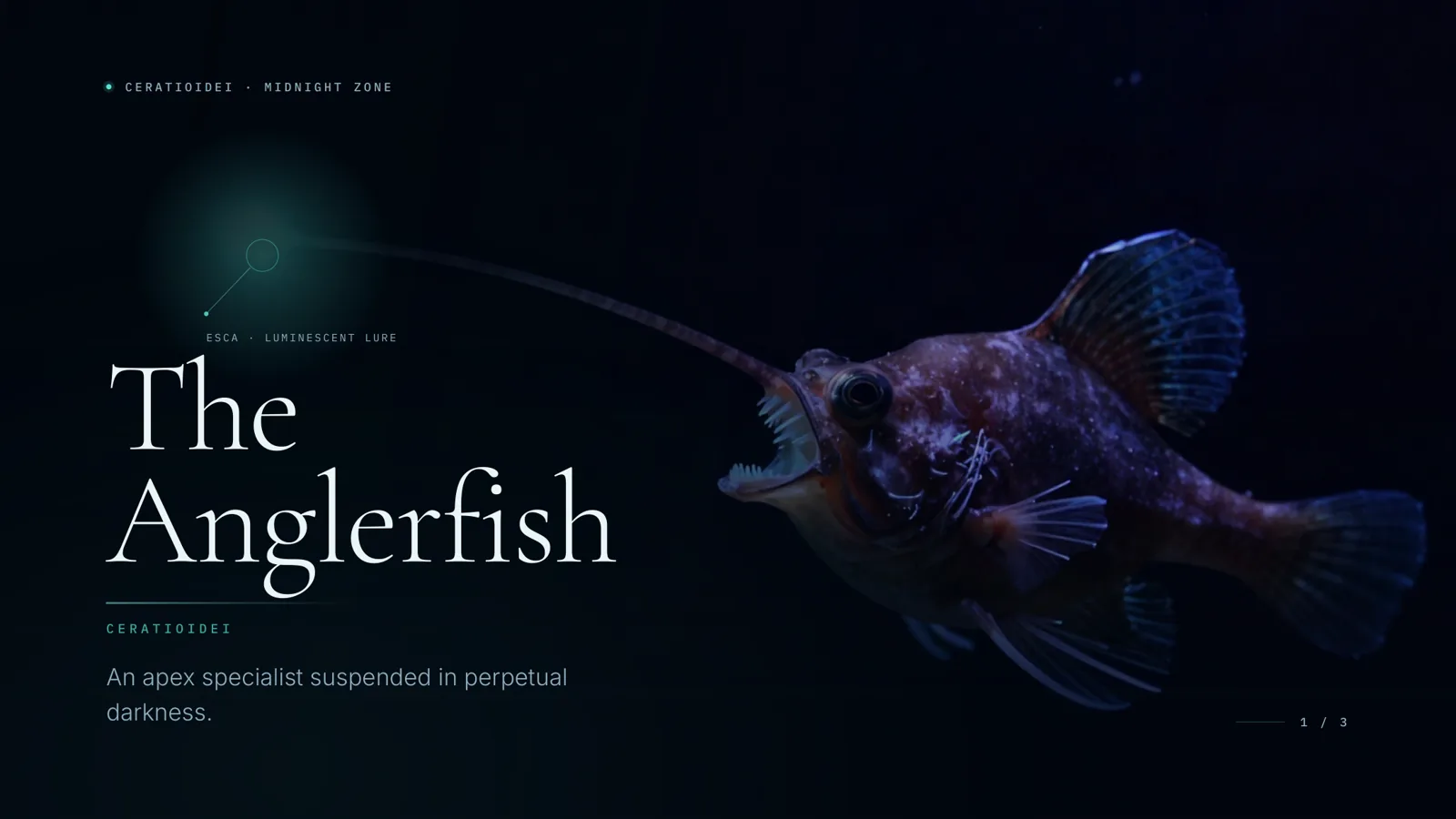
A 3-slide deck on deep-sea anglerfish, generate 2 images for it, reuse the abyssal-drift style
The agent loaded the saved style instead of designing one, and built the deck in 11 minutes, four images included (it made a second version of two of them).
How it's different
- A style is written once and kept. There are 40 named styles. When none fits, the agent writes a new one and saves it as a skill, and every slide of every later deck in that style follows the same palette, type and spacing.
- It checks its own work. It looks at each rendered slide and compares the words with what it found, and says what it changed.
- You get the real files, on your computer: a PDF and a
.pptx, not a link to someone else's editor.
How the planner, the 26 layouts and the image rules work: What can the Slides agent do?
Doing it yourself
- Open the agent switcher at the top of the sidebar and pick Specialists → Slides.
- Say what the deck is about, how many slides, and how it should look: a style name, "a new underwater style", or your brand colours and fonts.
- Say whether you want images generated. Otherwise pictures of real things come from the web or your files.
- Watch the slides build. To change something, click it on the slide to tag it, then say what to change.
- The PDF and the
.pptxland in the chat's folder.
Limits
- The
.pptxuses standard fonts (Arial, Georgia, Courier New) in place of the deck's own. The PDF keeps the exact look, and the deck's fonts are in its folder. - A new style plus generated images takes time: this four-slide deck took 17 minutes. Reusing a saved style is faster.
- Some effects simplify in the
.pptx: gradient text becomes plain and rotated text is straightened.
Questions
Is there a free AI presentation maker in Irene? Yes. The Free plan includes a small images allowance and a weekly usage allowance; past the images allowance, generated images need a top-up. Plans, usage & shared usage has the details.
Can I edit the PowerPoint afterwards? Yes. Every text block is a real PowerPoint text box in the same place as on the slide.
Can it use my brand? Yes. Give it your colours and fonts, and it writes a style from them and saves it, the way it saved abyssal-drift here.
Does it make facts up? It looks the topic up before writing and checks the slides against what it found. In this run it caught three invented lines and corrected them.
Related
Updated